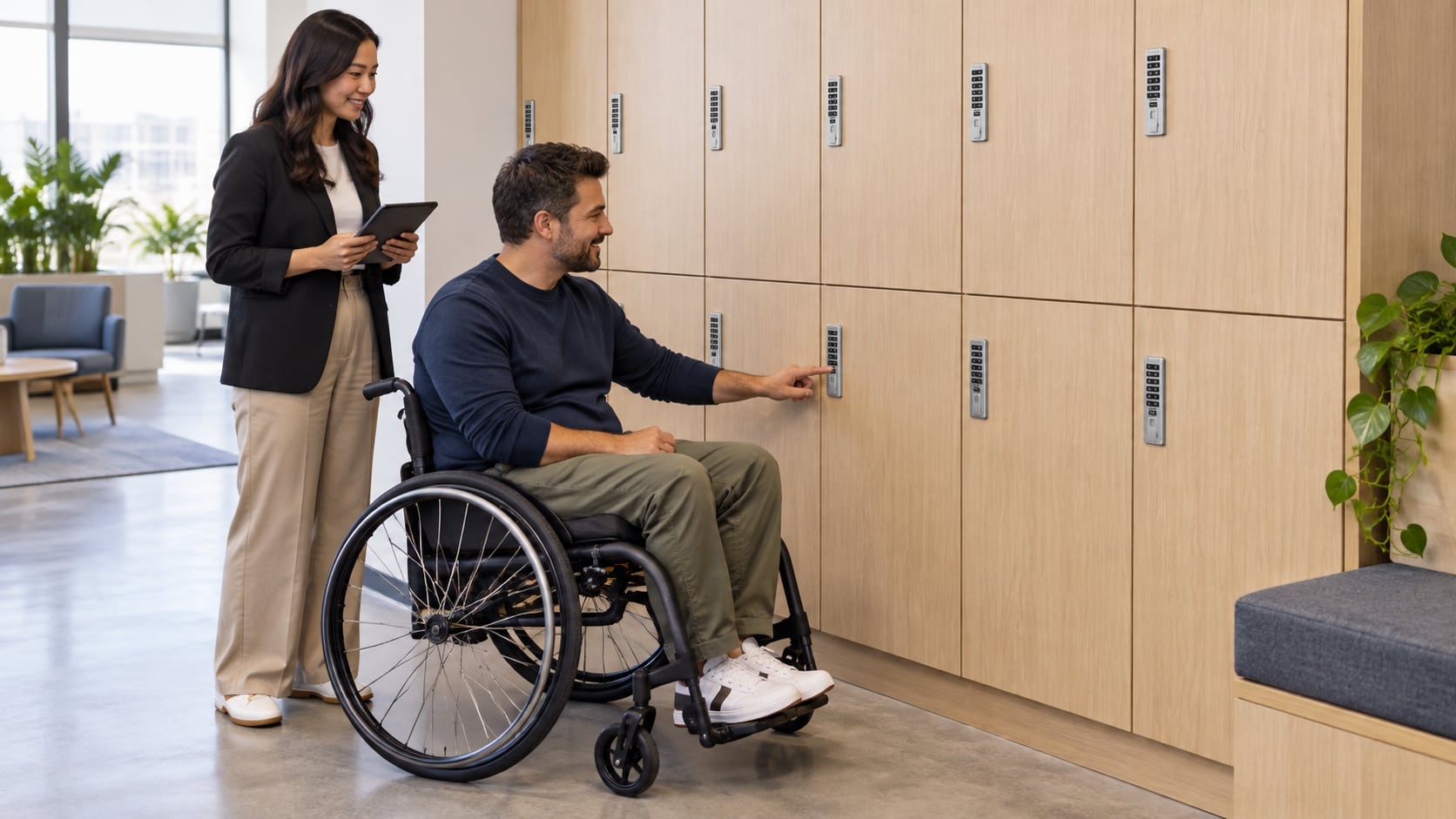
An accessible locker requires more than an accessible-looking lock. Review how a person reaches the locker, approaches it, operates the credential, opens the door and retrieves belongings. Specify the exact hardware and accessories, then have the complete installation reviewed against the requirements that apply to the project.
This is a purchasing and design checklist, not a compliance certification. The facility’s design professional or accessibility adviser should confirm the applicable standards, required quantities and final layout.
Start with the installed locker, not a product label
The U.S. Access Board’s storage provisions in Section 811 address clear floor space, reach and operable parts. Its scoping requirements also distinguish locker types. These are installation considerations: choosing a lock described as having an accessible option does not resolve every requirement.
During a walkthrough, check the intended approach with doors both open and closed. A bench, waste bin or cleaning cart can obstruct access even when the locker hardware was correctly selected. Consider the height of usable storage inside the locker as well as the height of its lock.
Evaluate the complete operating sequence
Ask the project team to demonstrate the proposed sequence on a sample opening. Review these tasks separately:
- Finding the correct available or assigned locker.
- Reaching and operating the keypad, reader or approved user accessory.
- Recognizing the lock’s response without relying on an unsuitable instruction format.
- Grasping or using the pull and opening the door.
- Reaching stored belongings and closing the locker again.
Observe the normal sequence rather than testing only whether a staff member can open the door. Have the design team evaluate operation under the applicable requirements, including the Access Board’s provisions for operable parts. Invite practical user feedback without treating one person’s experience as proof that every user’s needs are met.
Match the accessory to the exact Digilock family
Digilock’s Axis product documentation describes a User Key option for accessible operation, alongside different body styles and pull arrangements. Our Axis catalog page helps identify an existing installation. Confirm the generation and required accessory before ordering; a generic reference to “a Digilock key” is insufficient.
Mechanical hardware needs a separate review. Digilock’s Mech documentation describes a cam operated by a knob or an accessible lever option. Mech is mechanical; it should not be specified as an electronic keypad lock or assumed to use electronic User Keys.
Do not transfer a current model’s accessibility feature to a legacy model merely because they share a family name. Request written confirmation of the exact lock, operating mode, accessory and door-pull configuration.
Include everyday management in the plan
If the chosen configuration depends on an issued user accessory, decide how a person obtains it when needed and how replacements are handled. A suitable accessory that is unavailable after reception closes is an operating problem even if the hardware itself is correct.
Keep instructions clear, concise and available in the formats the facility needs. Train staff to offer assistance respectfully without asking users to disclose private medical information. Ensure the accessible locker remains usable storage rather than becoming a convenient place for supplies.
At handoff, record the approved configuration, installed location and responsible service contact. Recheck the opening after furniture rearrangements or hardware replacements; a later change can affect reach, operation or access.
Ask Digital Locks Online about the lock configuration with front and rear photographs, proposed mounting details and the accessory requirements from your project team. Product identification and a quote can support the review, but they do not replace approval of the completed facility.
Accessible locker questions
Does an ADA option make every installation compliant?
No. The route, floor space, reach, storage, operating parts and applicable scoping must also be assessed. A product option addresses only part of the complete installation.
Is RFID automatically more accessible than a keypad?
Not for every person or configuration. Consider credential handling, reader location, feedback and the door pull together. Evaluate the actual workflow rather than choosing solely by interface name.
Can an electronic User Key replace any locker credential?
Do not assume interchangeability. Confirm that the exact lock generation supports the proposed accessory and that authorized staff have the correct setup and management instructions.
Should we specify a knob or lever for a mechanical locker lock?
Have the project team assess the required operation and select the documented configuration. The presence of a lever alone is not a substitute for reviewing the installed opening.